You each made your own. The venue quotes are buried in a group chat, the guest list lives in three places, and the budget creeps up one “it's only a little more” at a time. Somewhere in there, you stop being sure you even want the same wedding.
The how
01
Start with each other
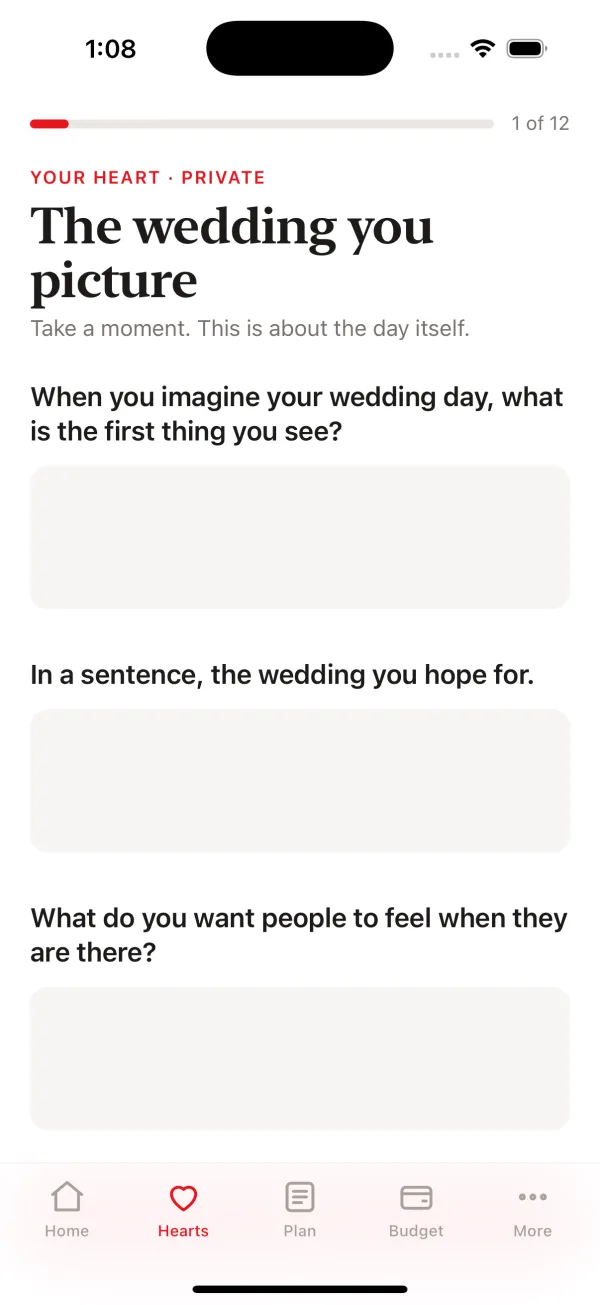
In Hearts, you each answer privately on your own phone, in about ten minutes. VOW shows the priorities you share and the differences worth talking through, before you book a thing.
02
One plan, on both phones
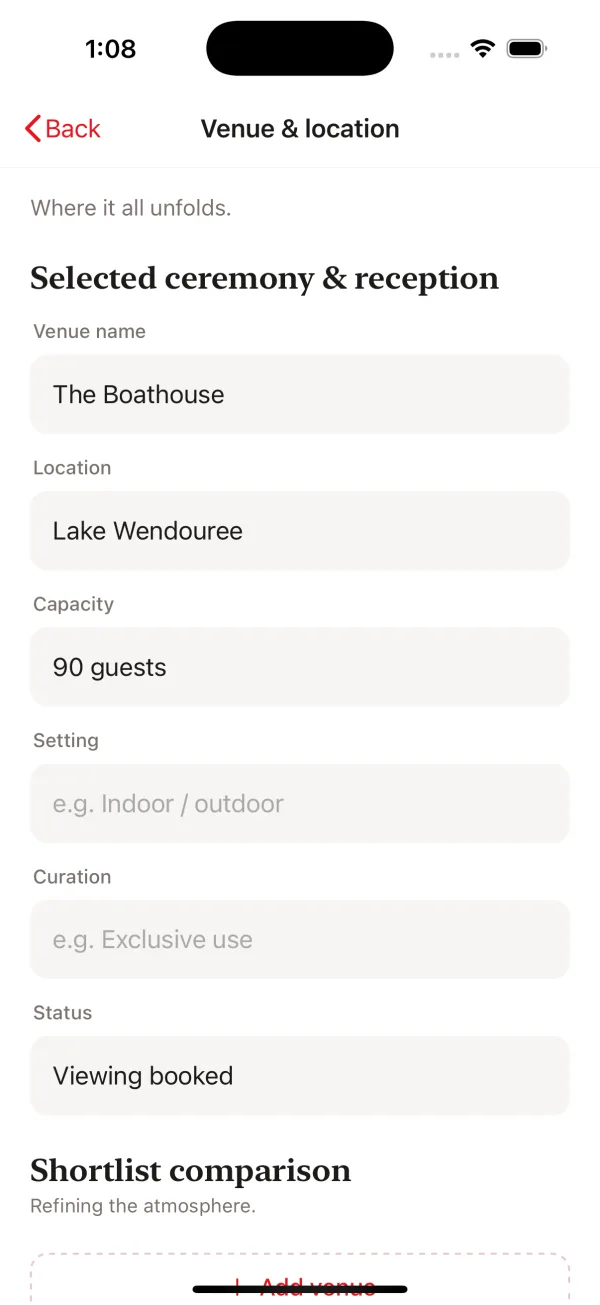
Link your phones and every change reaches the other straight away. Venue, guests, tables, suppliers, the run sheet: twenty-one sections in one place. Bring your guest spreadsheet with you: it imports as a CSV.
03
A budget that tells the truth
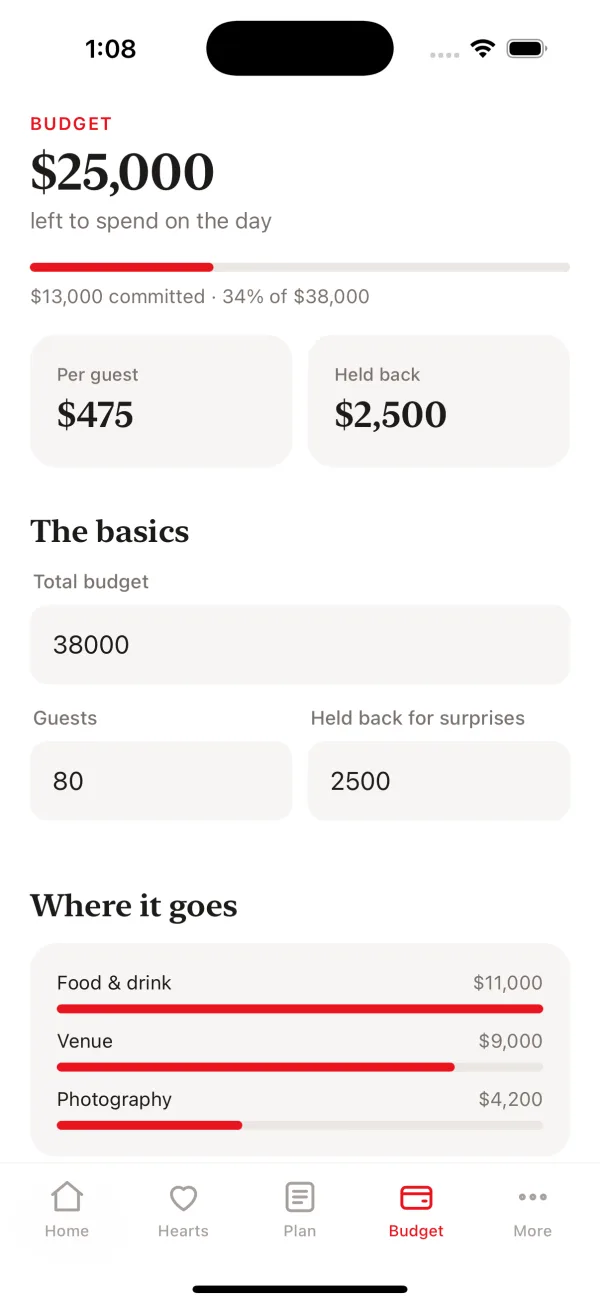
Set a total in Budget and every cost lands in one place: what's committed, what's left, the cost per guest, and some held back for surprises.
The after
One plan you both trust, no more hunting through the group chat, and more of the money on the day itself.
Private by design
Your wedding lives on your phone
There's no account to make and nothing to sign in to. Your plan is kept on your iPhone, in VOW's own storage, and goes into your normal iPhone backup. We have no readable copy of it and can't see it.
No account
No sign-up, no email, no password. Open VOW and start planning.
Locked between your phones
Linked phones pass each change through our postbox, sealed so only your two phones can open it. We can't read it, and it's deleted when you unlink or after 90 quiet days. Or sync in person by scanning codes, with no internet at all.
Your Heart is yours
Your written answers never leave your phone. You both see where you agree and what's worth a conversation, never the answers themselves.
No ads, no tracking
No advertising, no analytics and no tracking across other apps. We never sell your information. Feedback and diagnostics go only when you tap Send.
A full-service planner charges for the whole journey, including the parts you'd happily do yourselves. VOW gives you the tools to do those together, and an easy way to hand over the rest.
Plan it together
One plan for the two of you, from the first idea to the run sheet, on both your phones.
Help by the section
Bring in a planner for just the venue, or just the day itself. Send them only the sections you choose.
Spend it on the day
What you don't spend on full-service fees can go on the food, the music, the guests and the details that make it yours.
How it works
Start with the two of you
One of you starts the wedding with your names and the date, then sends an invite from More, Link our phones. The other installs VOW, taps Join my partner and enters the code, or scans your code if you're together. Your phones are linked and you're planning the same wedding. Want a look first? Open Alex & Sam's sample wedding and take the tour.
01
Hearts: find out where you already agree
Two steps, before you book anything. First, each of you answers on your own phone, privately: twelve short pages, about ten minutes. Then VOW brings your Hearts together in Where you meet.
Where you already agree
What's worth a conversation
Never the answers themselves: your written answers stay on your phone
02
Every part of the day, in one plan
Twenty-one sections, from the venue and the guest list to the ceremony, the music and the run sheet. You each plan on your own phone, and once your phones are linked, every change reaches the other straight away.
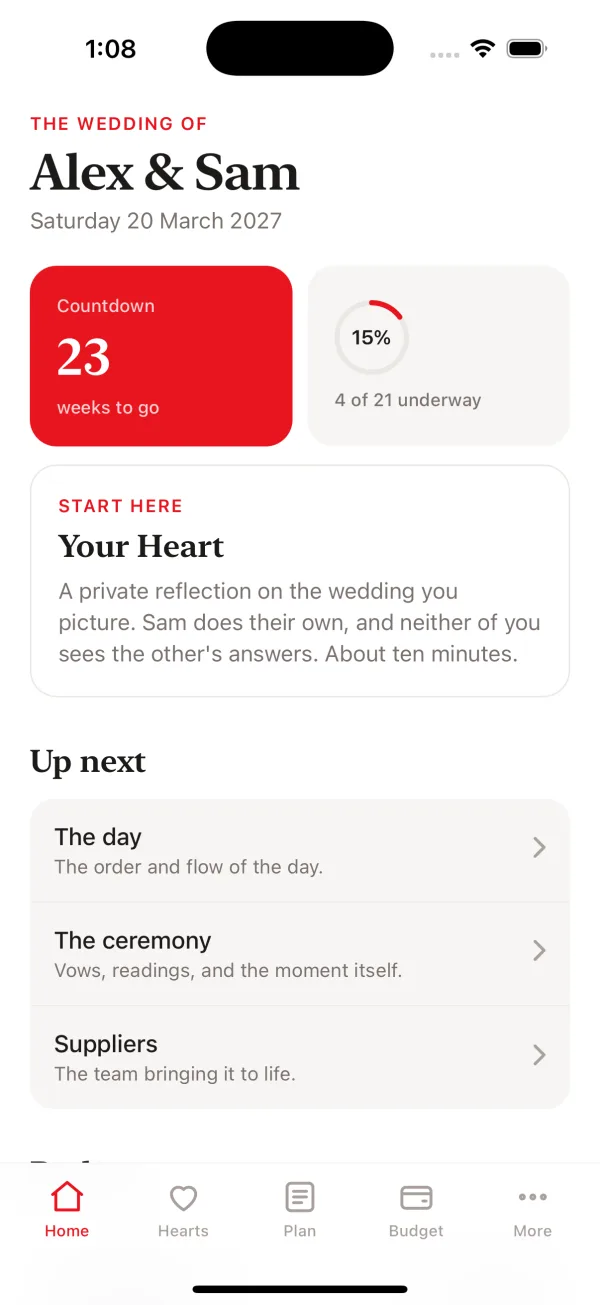
Up next shows what to tackle first
The Planning centre shows how far along each section is
Switch off anything that isn't part of your day. Nothing you wrote is lost
03
A budget you can see at a glance
Set your total and every cost lands in one place: what's committed, what's left, the cost per guest and where the money goes.
Quote, actual and deposit for every cost
Mark each one to pay, deposit paid or paid in full
Keep some held back for surprises
Everything else
The rest of what you need
Your guest list
Names, sides, RSVPs, meals and tables, with your VIPs marked. Bring in a list you already have from a spreadsheet (CSV).
Photos
Mood boards for the look you're after, and photos of the venue, kept with the section they belong to. Photos stay on the phone that added them.
Linked, or face to face
Linked phones keep in step on their own. Or sync in person from More by scanning each other's code, with no internet. If you both changed the same thing, the latest change wins.
Bring in a planner
Give a planner, venue or supplier a read-only link that stays up to date, or a PDF, of just the sections they help with. Turn a link off any time. They don't need the app, and your Hearts are never included.
Hand it over
The whole plan as a PDF for whoever runs the day: a coordinator, the venue or a friend. The hens, the bucks and the after-party each go to their organiser as a PDF too.
Countdown and reminders
The countdown and what's next on Home, a widget for your Home Screen and Lock Screen, and reminders for milestones and fittings.
The plan
Twenty-one sections, only the ones you need
Not having a wedding party, or skipping the after-party? Switch a section off and it leaves your plan.